
Showcase impactful glimpses of your best reviews on any of your store pages.
Add the Snippets Widget to your homepage to gain faster trust and more conversions, or to your product pages, right beside the 'Add to cart' button, to secure trust at the moment of decision-making and prevent visitors from leaving before purchasing.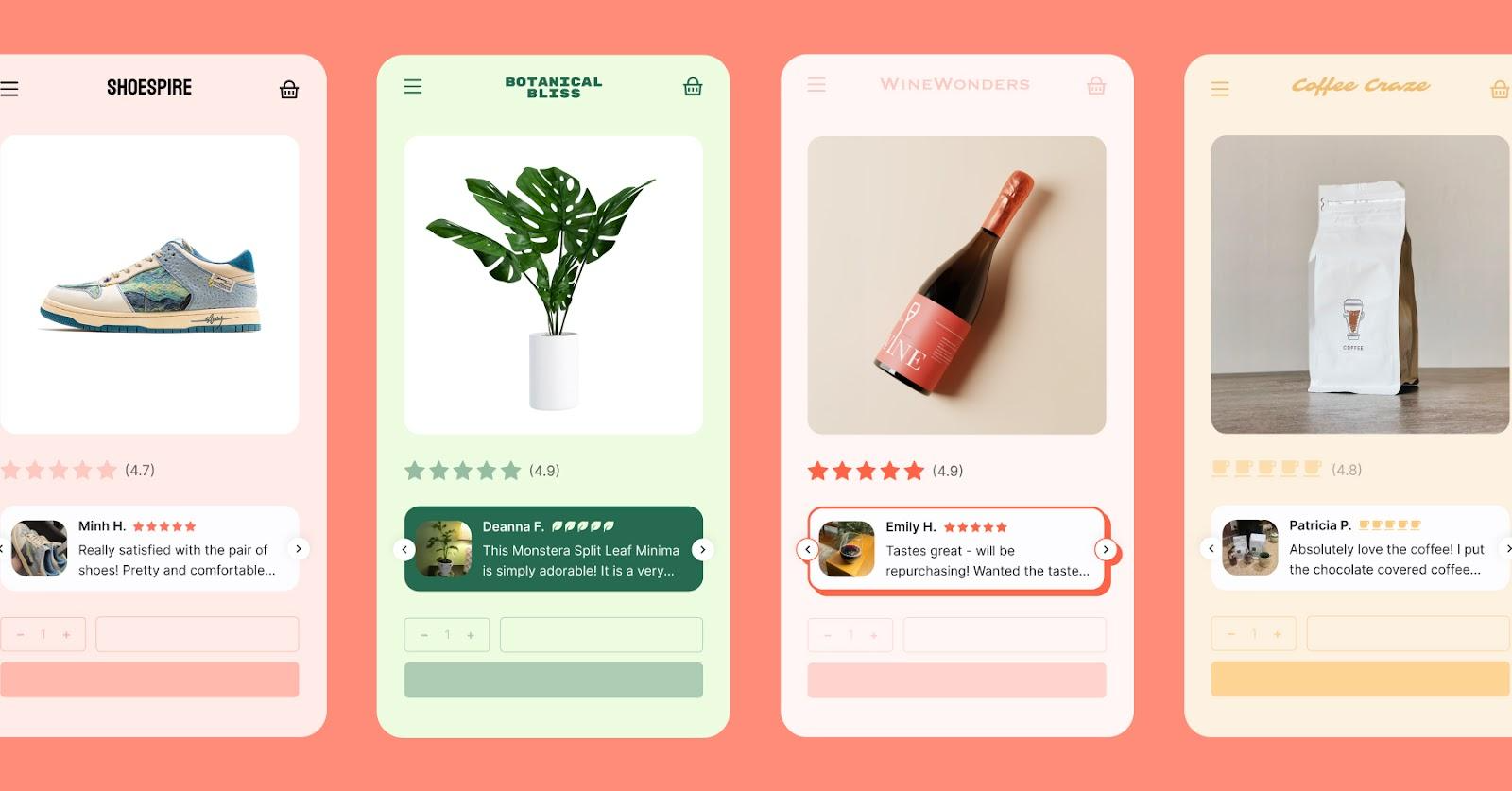
On the Convert plan, the Snippets widget will automatically display AI-generated review highlights, helping shoppers quickly scan key insights and make faster purchase decisions.
- Note: This applies only to 4 and 5-star product reviews.

How to add the Snippets Widget to your pages:
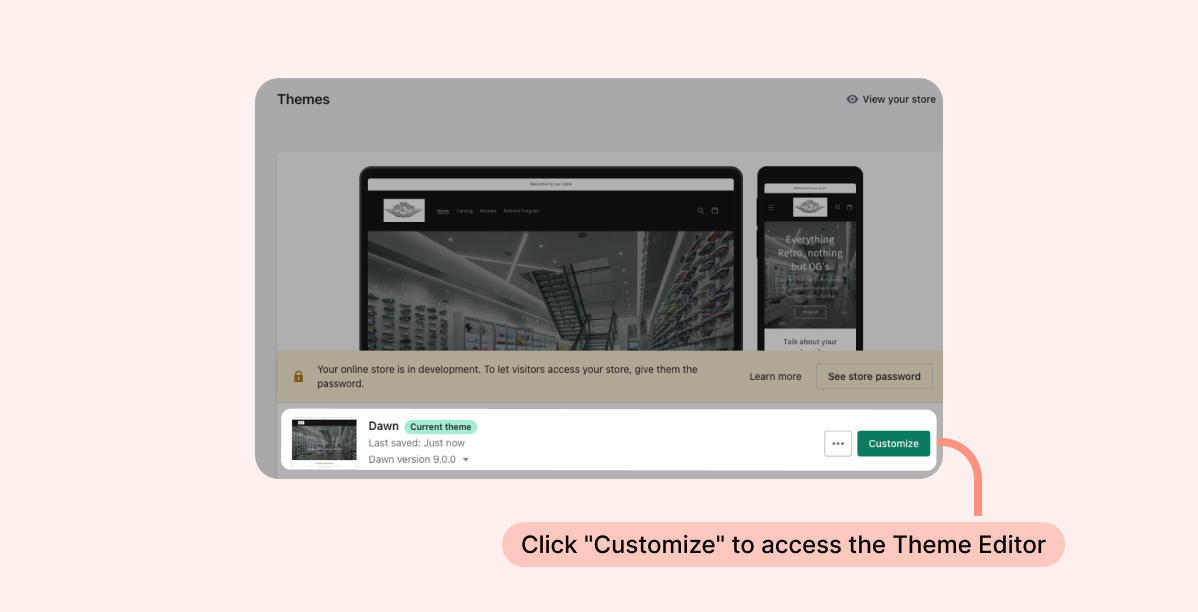
- Inside your Shopify Themes menu, click "Customize" to open the Theme Editor:
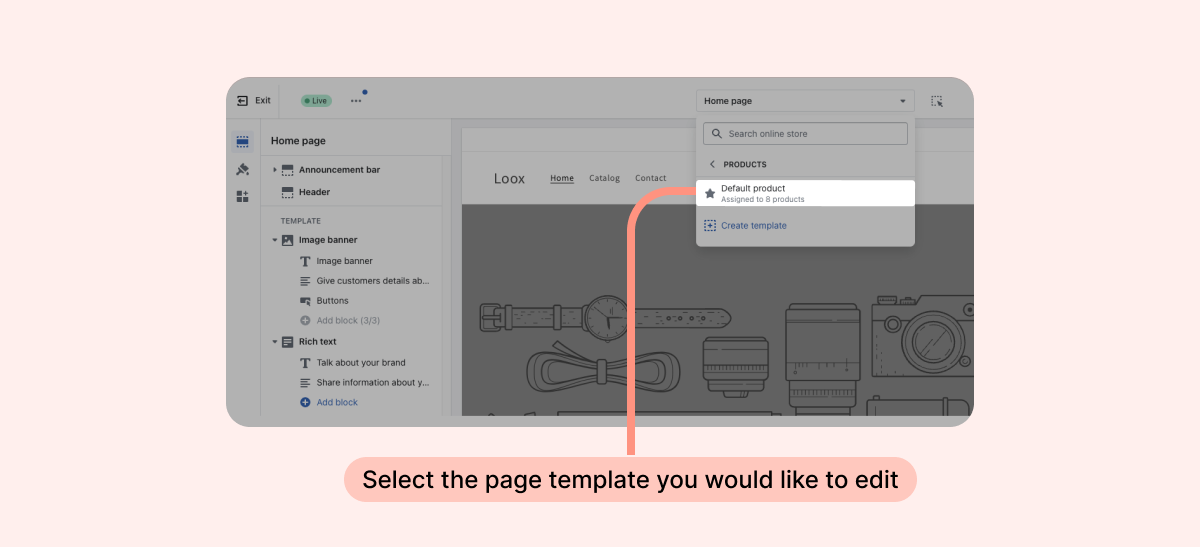
- Select the page template you would like to edit:
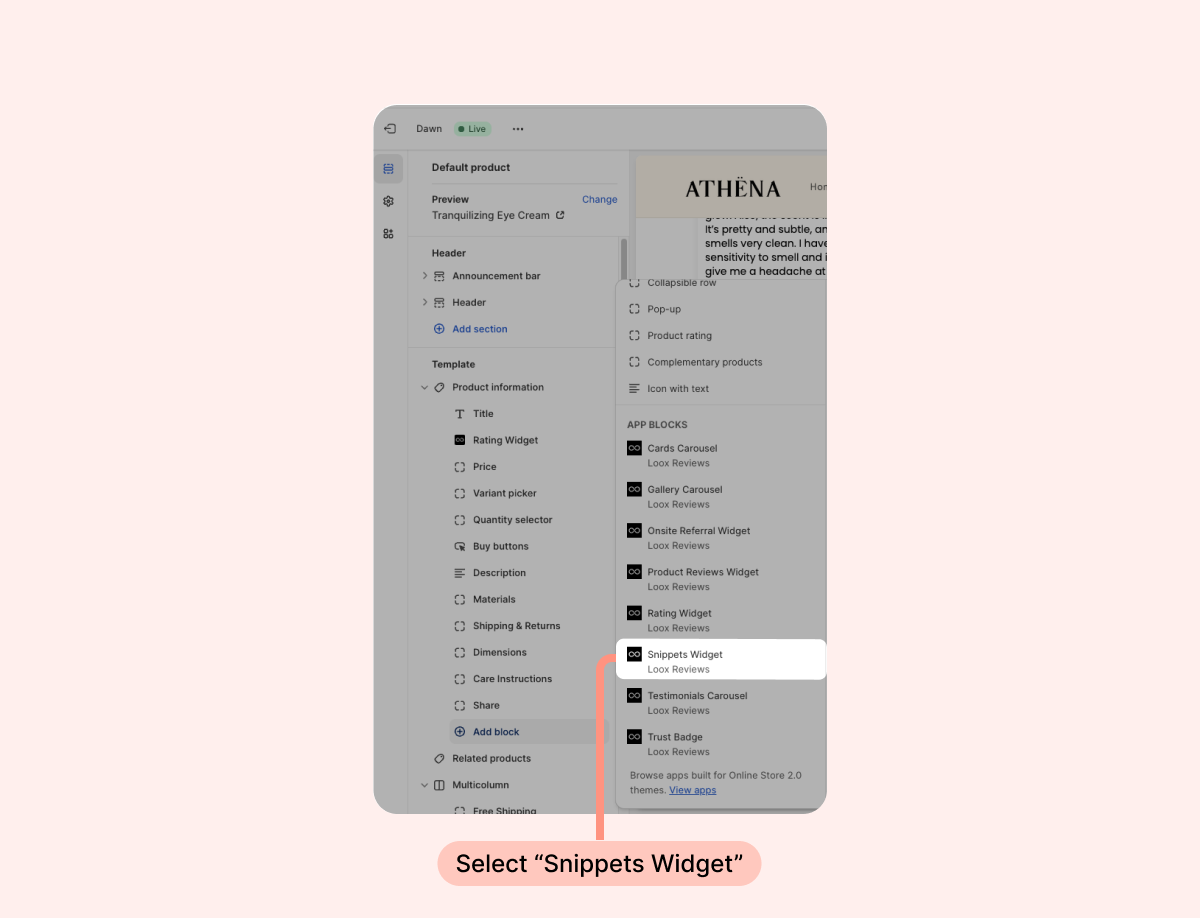
- Under “Template”, click "Add section" on the left-side menu, and select "Snippets Widget":
- Inside the Shopify Theme Editor, drag and drop the widget app block where you would like it to appear:
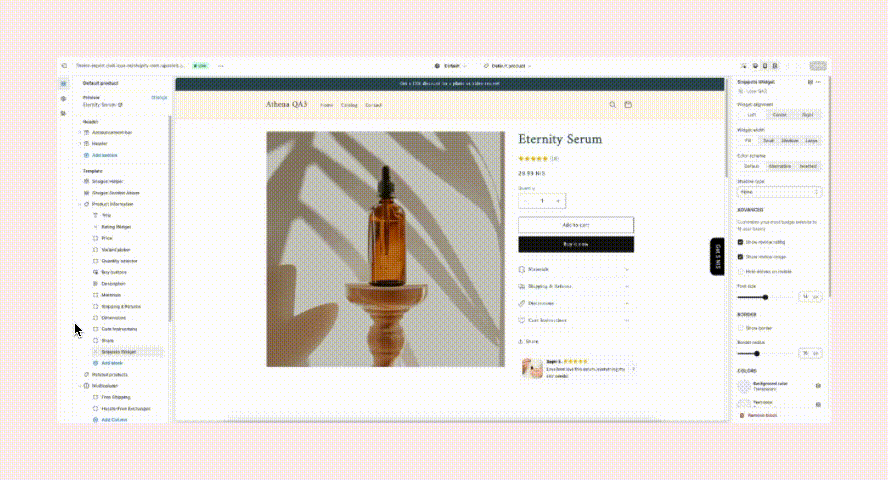
- Customize the widget’s appearance to match your brand’s design.
- Click "Save".
Reviews display options
The Snippets Widget supports two review types. You choose what to display per widget block.
Product reviews
Show reviews related to a specific product or all your product reviews. When selecting product reviews, the widget displays the following by default:
On product pages: displays reviews for the current product
On non-product pages: displays reviews for all your products
- If you prefer to display reviews of a specific product on non-product pages, you can select it using the product selection option.
Store reviews
This option works on any page type and is ideal for homepages.
Customization options:
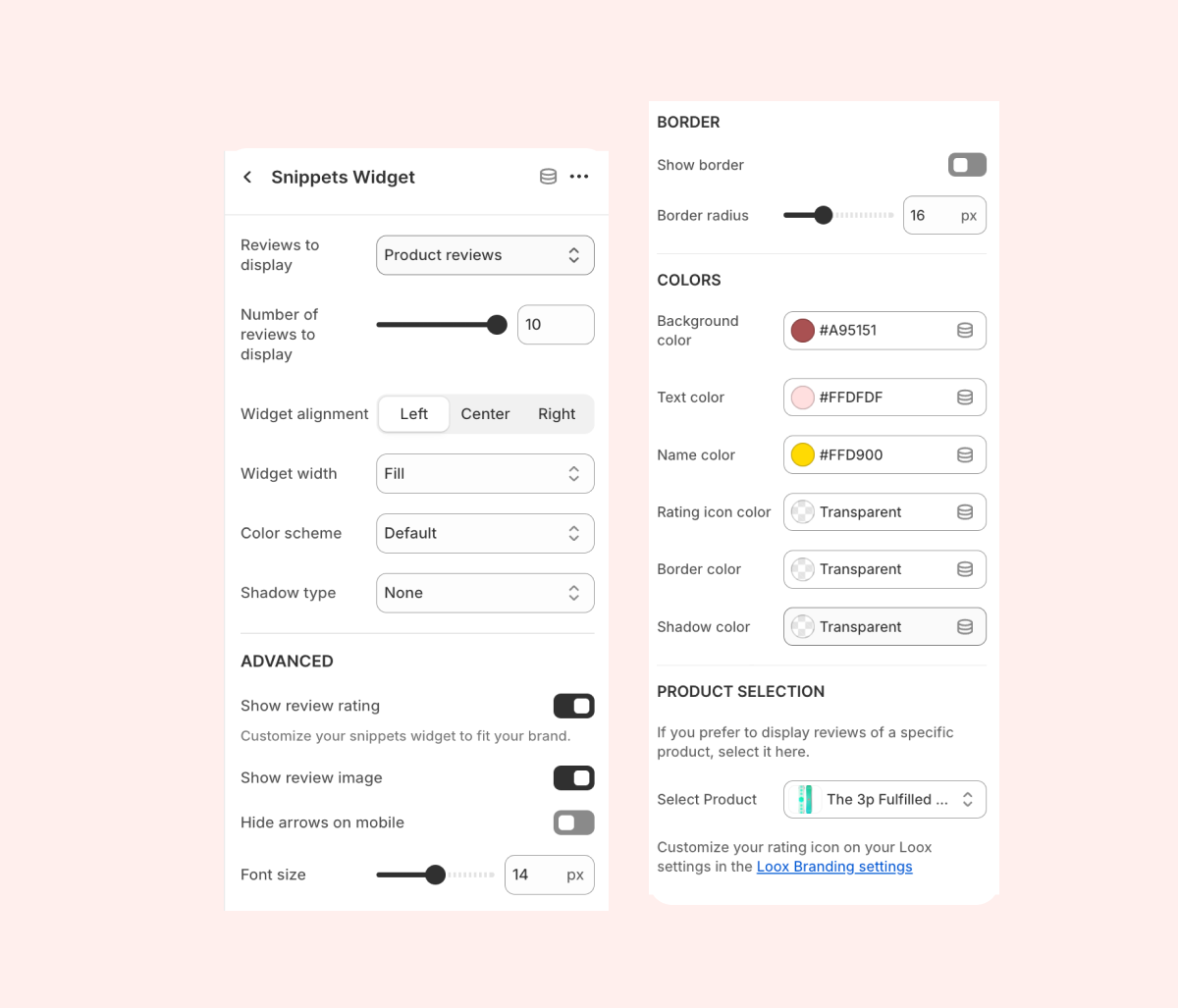
- Reviews to display - Choose if you'd like to display product reviews or store reviews.
- Number of reviews to display - Select the number of reviews showcased on the widget.
- Widget alignment - Adjust the location of the Snippets Widget on your product page.
- Widget width - Adjust the maximum width of the widget on the page.
- Color scheme - Select the color theme you would like to use for the widget.
- Shadow type - Adjusts the type of drop shadow used on the widget's reviews.
- Show review rating - When checked, your product’s average rating will be displayed.
- Show review image - When checked, the photo/video attached to the review will be displayed next to it.
- Hide arrows on mobile - When checked, the widget’s arrow keys will be hidden on mobile view.
- Font size - Adjust the size of the widget's text.
- Show border - When checked, a border line surrounding the widget will be displayed.
- Border radius - Adjust the angle of the widget’s corners.
- Background color - Choose the color of the widget’s background
- Text color - Choose the color of the widget’s text.
- Name color - Choose the color of the reviewer’s name.
- Rating icon color - Choose the color for the Rating Icons displayed on the widget.
- Border color - Choose the color of the widget’s border line.
- Shadow color - Choose the color of the widget’s shadow.
-
Product selection- On product pages, the widget will display product-specific reviews. On non-product pages, it will display reviews for all your products. If you prefer to display reviews for a specific product on a non-product page, select it here.
Note: To highlight specific reviews you would like to display on the Snippets Widgets, tag them as "Featured".
FAQs
Q: Can I use the Snippets Widget to display product reviews on some pages and store reviews on other pages?
A: Yes! You can control which reviews are displayed on the Snippets Widget per widget block. For example, you can display store reviews on your homepage, and product reviews on product pages.
Q: How are reviews displayed on the Snippets Widget?
On product pages, the widget will display product-specific reviews. On non-product pages, it will display reviews from all your products. If you prefer to display reviews from a specific product on a non-product page, select it under "Product selection".
Q: How are reviews prioritized on the Snippets Widget?
A: Product reviews are prioritized by featured reviews, media, and date. Store reviews are prioritized by rating and date.