
Stand out and sell more on Shopify's Shop App by displaying ratings and reviews you've collected with Loox. This integration will enable reviews collected with Loox to be displayed on your Shop app listings and reviews collected on the Shop app to be displayed on Loox widgets across your store pages.

Activating the Loox + Shop App Integration
When installing Loox on your store for the first time, the Loox + Shop App integration will be automatically activated, and your reviews should be automatically synced between the two channels.
Note: The Loox + Shop App integration will automatically sync reviews between the two platforms only for stores eligible for Shop.
To comply with the Shop App's product review policies, Loox will perform the following actions:
- Reviews published on Loox will be automatically added to your product listing on Shop (as long as they meet Shop's review policies) on an ongoing basis.
- All reviews collected using Loox widgets and emails will be sent to Shop with no editing or modifications.
- Shop will moderate reviews that include any identifiable personal information or profanity based on Shopify's guidelines before publishing them on the Shop app. Loox will not moderate reviews before sending t to Shop.
Uninstalling Loox will stop the syndication of your Loox Reviews with the Shop app. To collect more reviews for your Shop app listings, reinstall Loox on your store or contact Shop's support team for assistance.
To manually activate the Loox + Shop app integration from the Loox app:
- In the Loox admin, go to Settings > Integrations. Under Shop App, click "Manage."
Toggle on "Sync reviews between your online store and the Shop App."
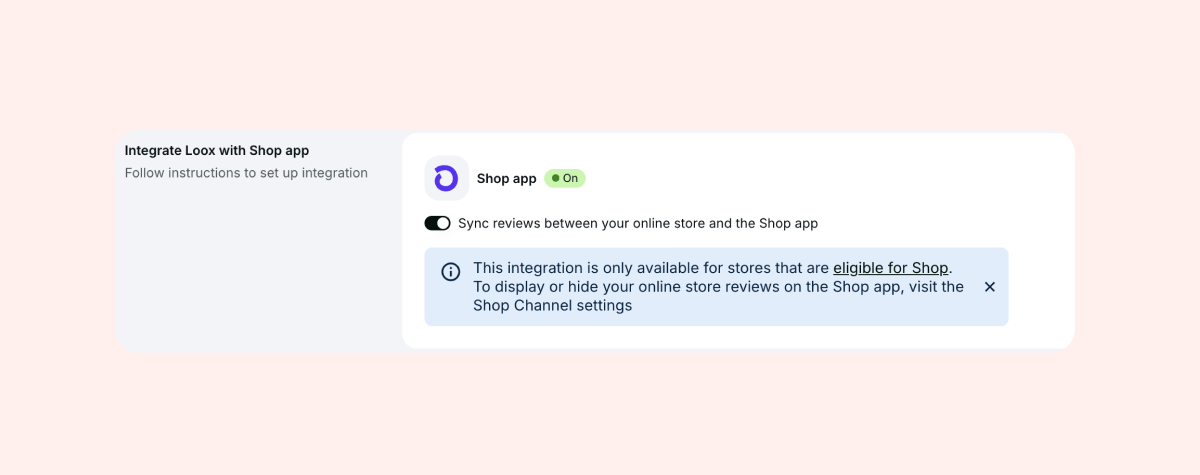
That's it! Your Loox reviews will appear on your Shop App listings, and Shop App reviews will appear in your Loox widgets.
To hide reviews collected using Loox on your Shop app product listings:
- Inside the Shop app's "Settings" menu, go to "Reviews from partner apps".
- Disable "Display reviews collected with partner apps in Shop".
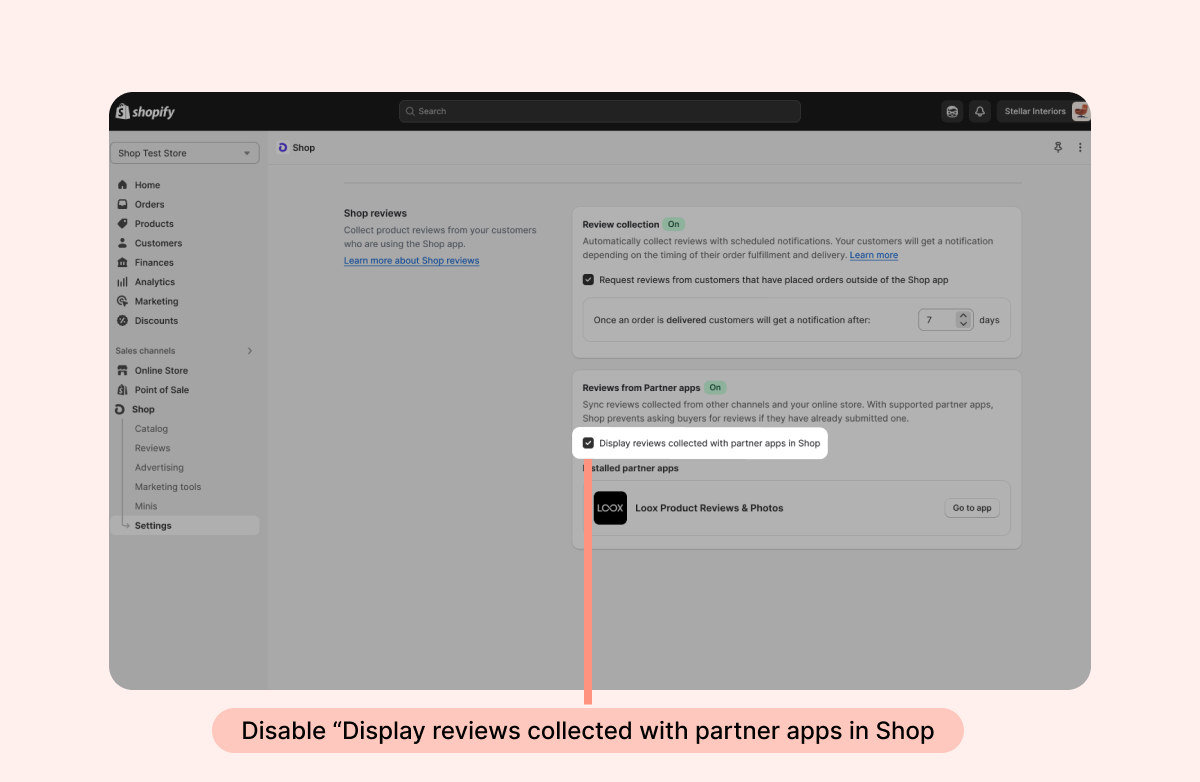
That's it! Your Loox reviews will no longer appear on your Shop app listings.
To hide your Shop App reviews from your Loox widgets:
In the Loox admin, go to Settings > Integrations. Under Shop App, click "Manage."
Toggle off "Sync reviews between your online store and the Shop App."
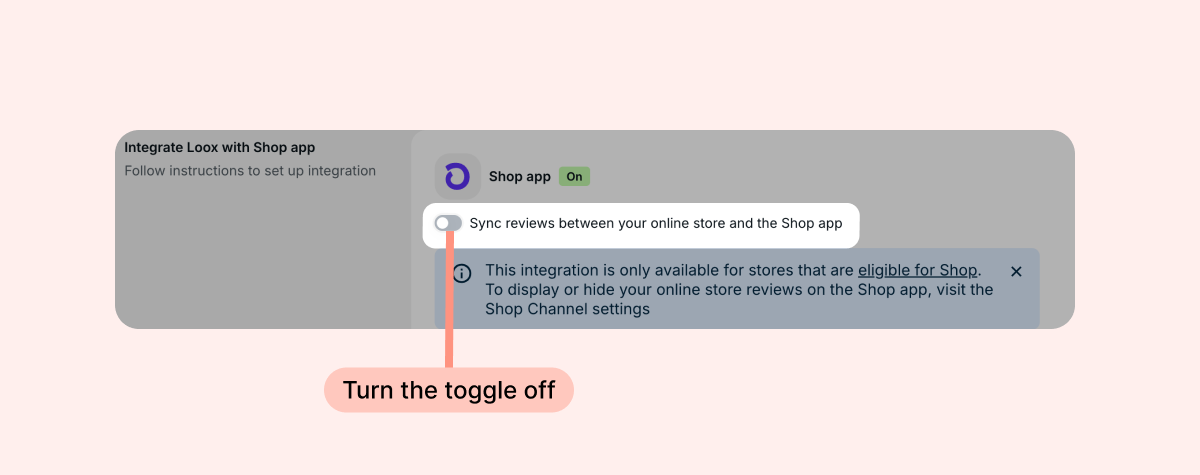
Once the integration is turned off, your Shop App reviews will no longer appear on your Loox widgets.
Note: This only hides Shop App reviews from your Loox widgets. To stop your Loox reviews from appearing on Shop App listings, go to the Shop app - Settings - Reviews from partner apps and turn off "Display reviews collected with partner apps in Shop."
Managing Shop reviews
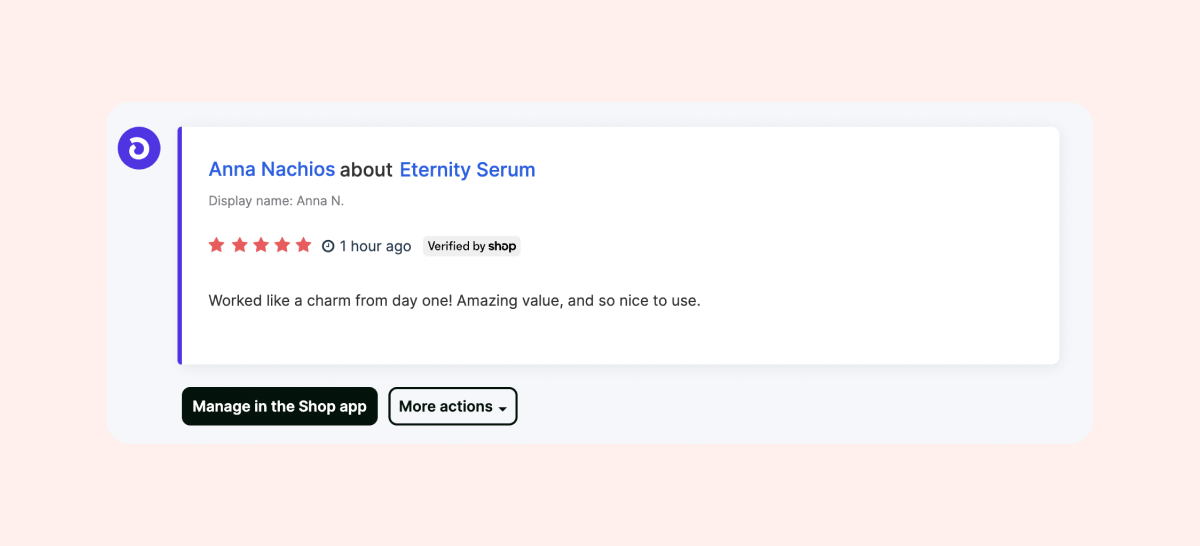
Reviews submitted and verified on Shop will be visible in your Loox "Manage reviews" page, allowing you to view the reviews' information, as well as add them to your Loox Carousel Widgets and/or tag each review as "Featured".
Replying to reviews collected on Shop
To reply to your Shop app reviews:
- In the Loox app's "Manage reviews" page, find the review you would like to reply to.
Click "Manage in the Shop app".
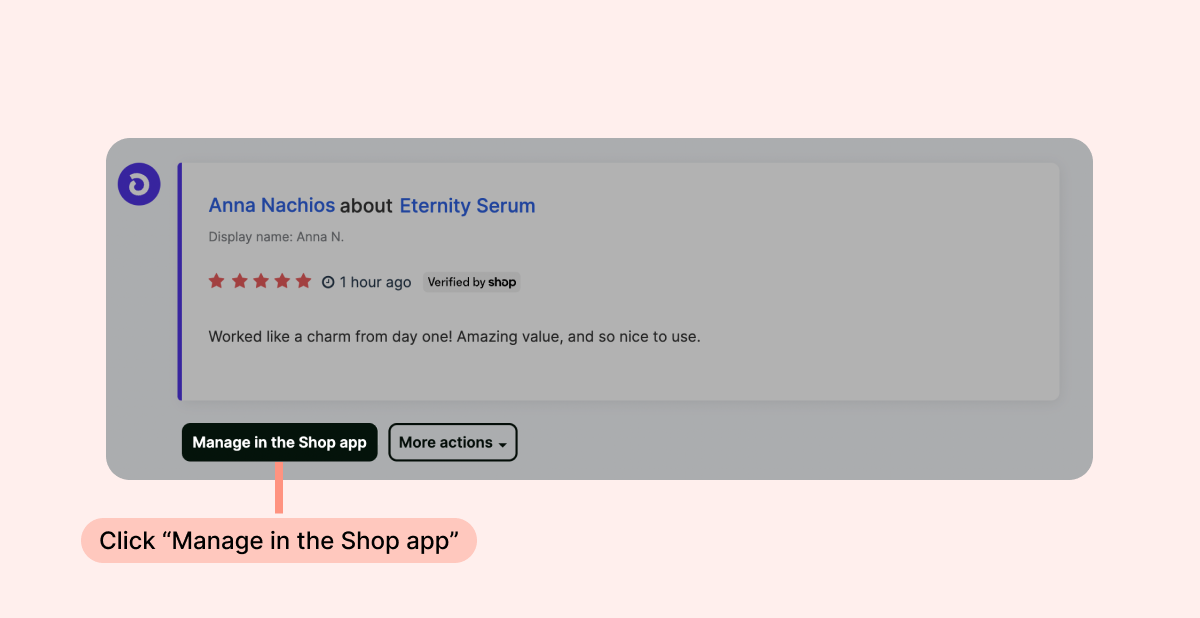
In the Shop app review page, write your reply.
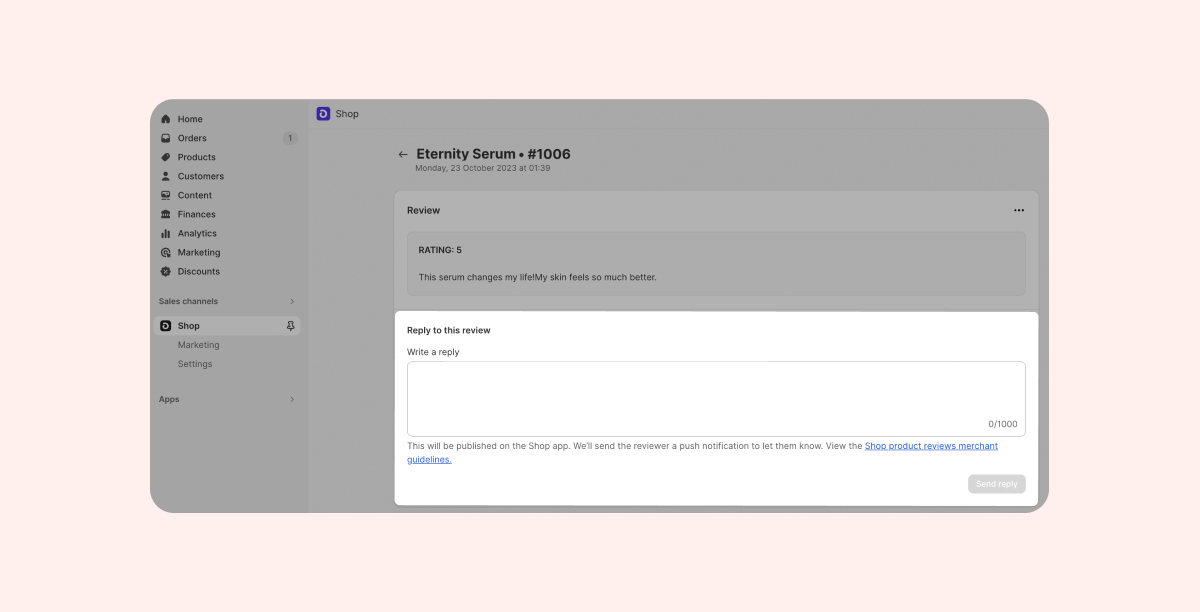
- Click "Send reply".
Notes:
- Shop app replies will also appear on your Loox widgets.
- Shop reviews cannot be moved, unpublished, or replied to from within the Loox app.
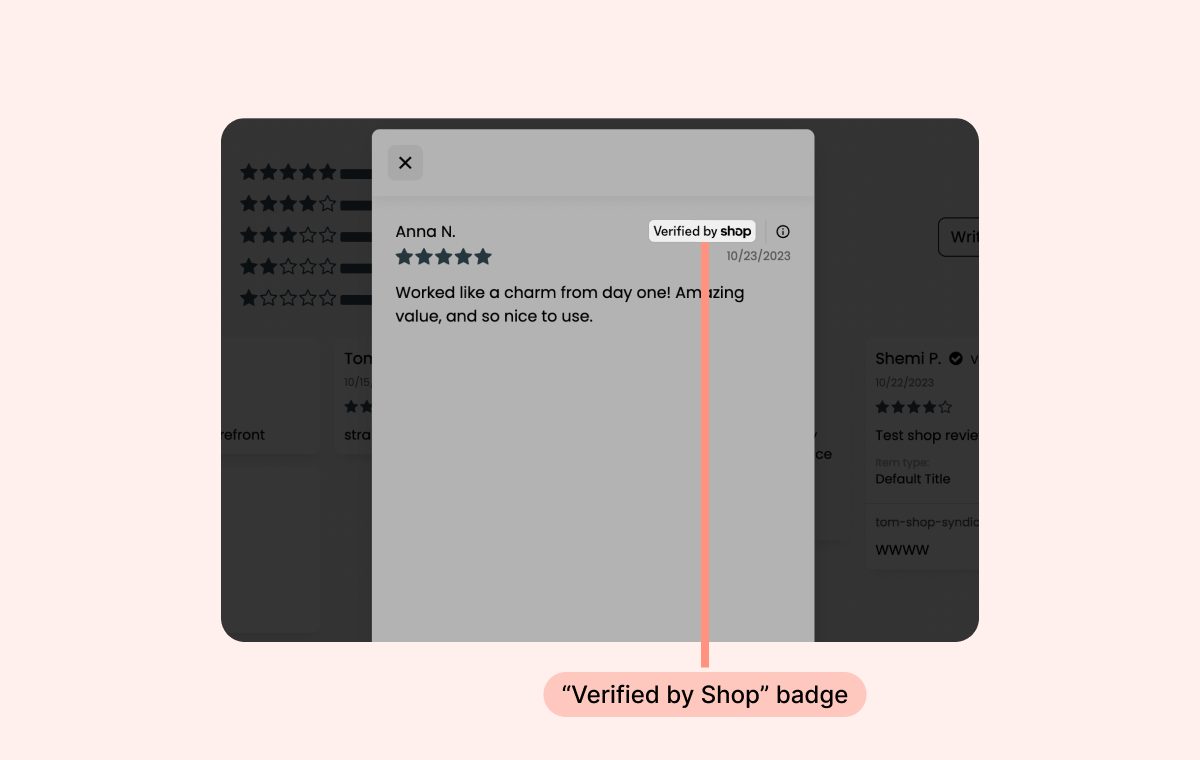
Verified by Shop badge:
All Loox widgets displayed on your store pages will feature your Shop app reviews.
Shop reviews will have a "Verified by Shop" badge added to them, informing store visitors that the review was verified by Shop.
FAQs
Q: Can I remove a specific review from the Shop App?
A: No - reviews collected through the Shop App are managed by Shopify, so Loox can't remove or edit individual reviews on the Shop side. To manage a Shop review, use the "Manage in the Shop app" button on your Manage Reviews page.
Q: Why aren't all my Loox reviews appearing on the Shop App?
A: Only reviews linked to a verified purchase (i.e., tied to a Shopify order) are eligible to appear on the Shop App. Reviews you manually marked as "verified" in Loox won't be displayed on Shop.