
Available on the Convert and Unlimited Plans
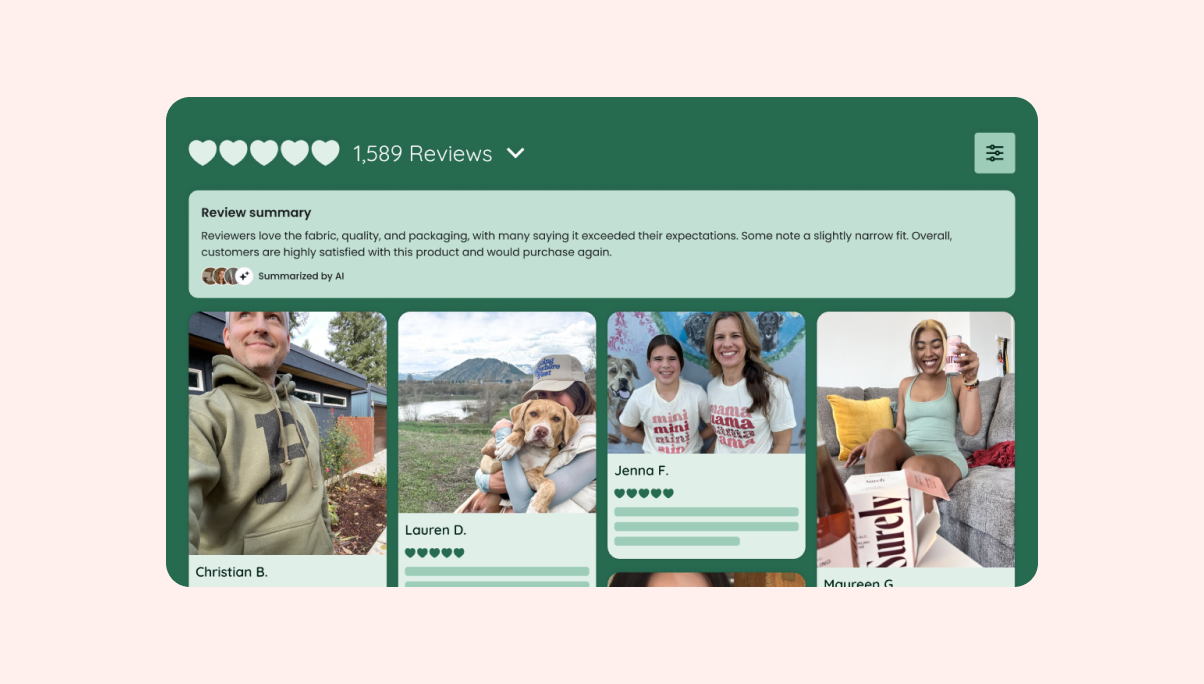
AI Review Summaries give shoppers a quick snapshot of what customers love about a product - without having to scroll through dozens of reviews. A short, AI-generated summary appears directly inside the Reviews Widget on your product pages, surfacing the most common themes from your customer reviews at a glance.
Why use AI Review Summaries?
Shoppers want confidence quickly. When they land on a product page, they don't always have the time to read through every review. AI Summary condenses the collective voice of your customers into one or two sentences, highlighting the dominant positive themes - and flagging any notable concerns - so shoppers get the full picture fast. That means less friction in the buying journey and more informed shoppers who are ready to convert.
How AI Review Summaries work
Loox analyzes your published reviews and generates a 20-30 word summary that captures the most common positive themes. If there are notable negatives in your reviews, those are reflected too, so the summary stays balanced and trustworthy.
The summary appears as a card inside your Reviews widget, between the widget header and the first review. It includes:
- A short summary in the customer's voice
- Three reviewer avatar thumbnails (from reviews with face-visible photos)
- A "Summarized by AI" disclosure label, as required by EU and FTC guidelines
The summary works across all Reviews widget layouts (Grid, List, and Mosaic) and adjusts for both desktop and mobile.
Tip: With Smart Filters on, shoppers can tap a topic above the summary, and the card switches to a short summary of what customers say about that topic.
Eligibility
A product needs at least 10 published reviews to generate a summary. Products with fewer than 10 reviews will display the Reviews Widget as usual, with no summary card. Summaries will also be generated for product groups and product bundle pages. Summaries are not available when the Reviews Widget is in "Store Reviews Only" mode or on non-product pages (such as your homepage or a dedicated reviews page).
Enabling AI Review Summaries
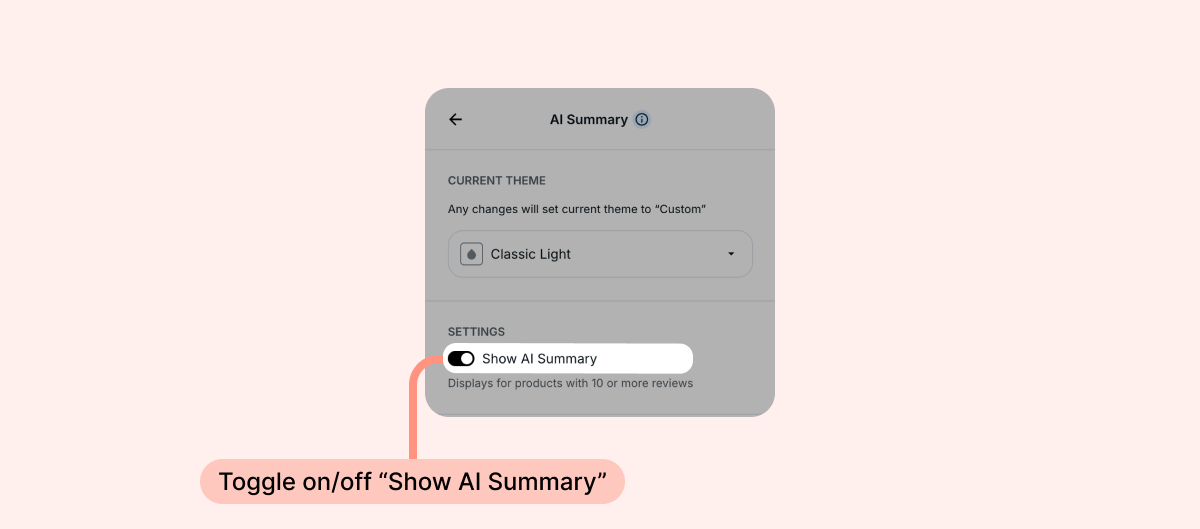
Summaries are on by default for merchants who join the Convert or Unlimited Plans after the feature's release. To manually enable or disable Summaries, head into the Reviews Widget editor, open AI features > AI Summary, and toggle on/off "Show AI Summary":
How to customize AI Review Summaries
You can adjust the summary's settings inside the Reviews Widget editor, under AI features > AI Summary.
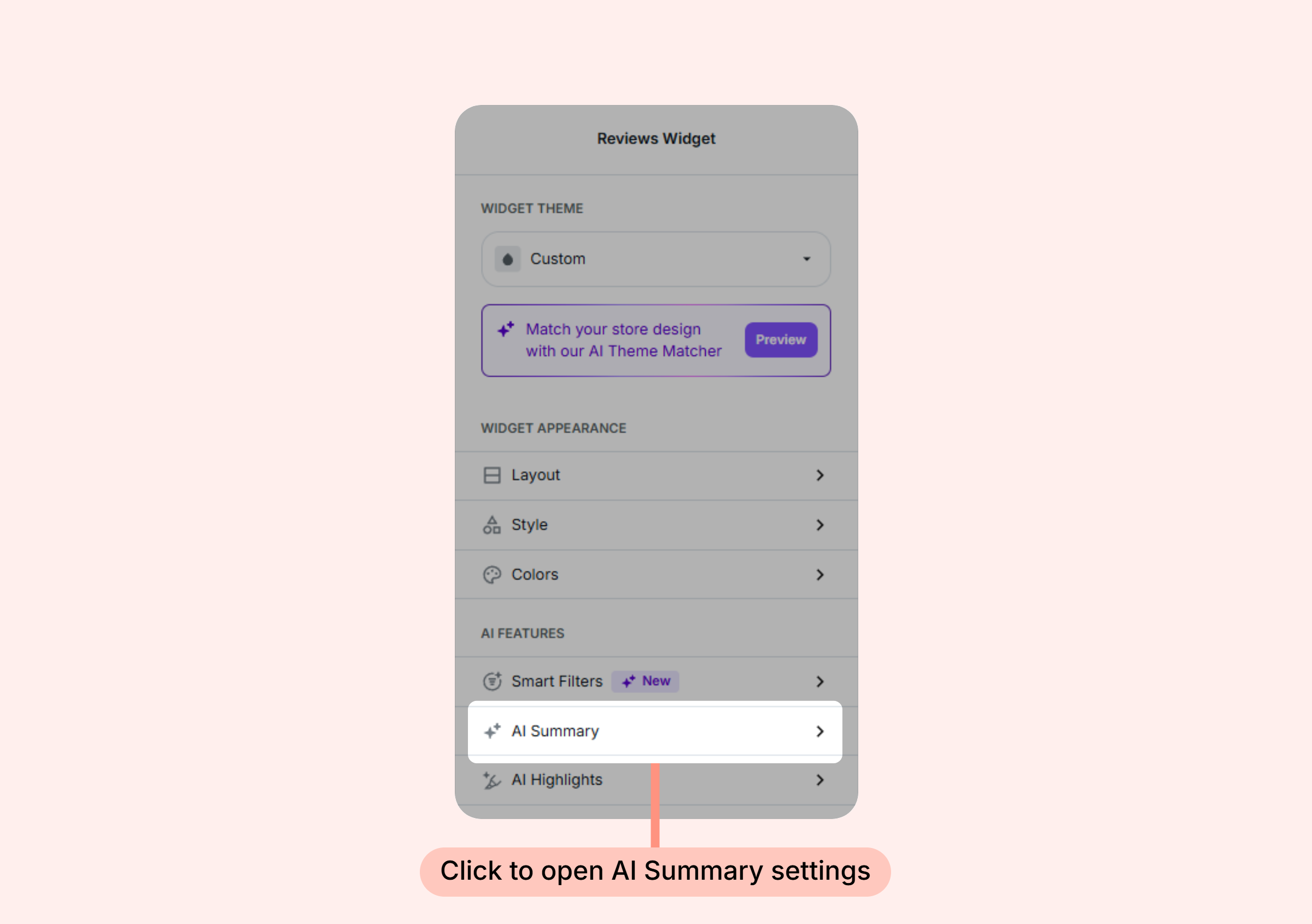
- Inside your Loox admin, head over to the Reviews Widget and click Customize.
- Under AI features, select AI Summary.
- These are the available settings for AI Summaries:
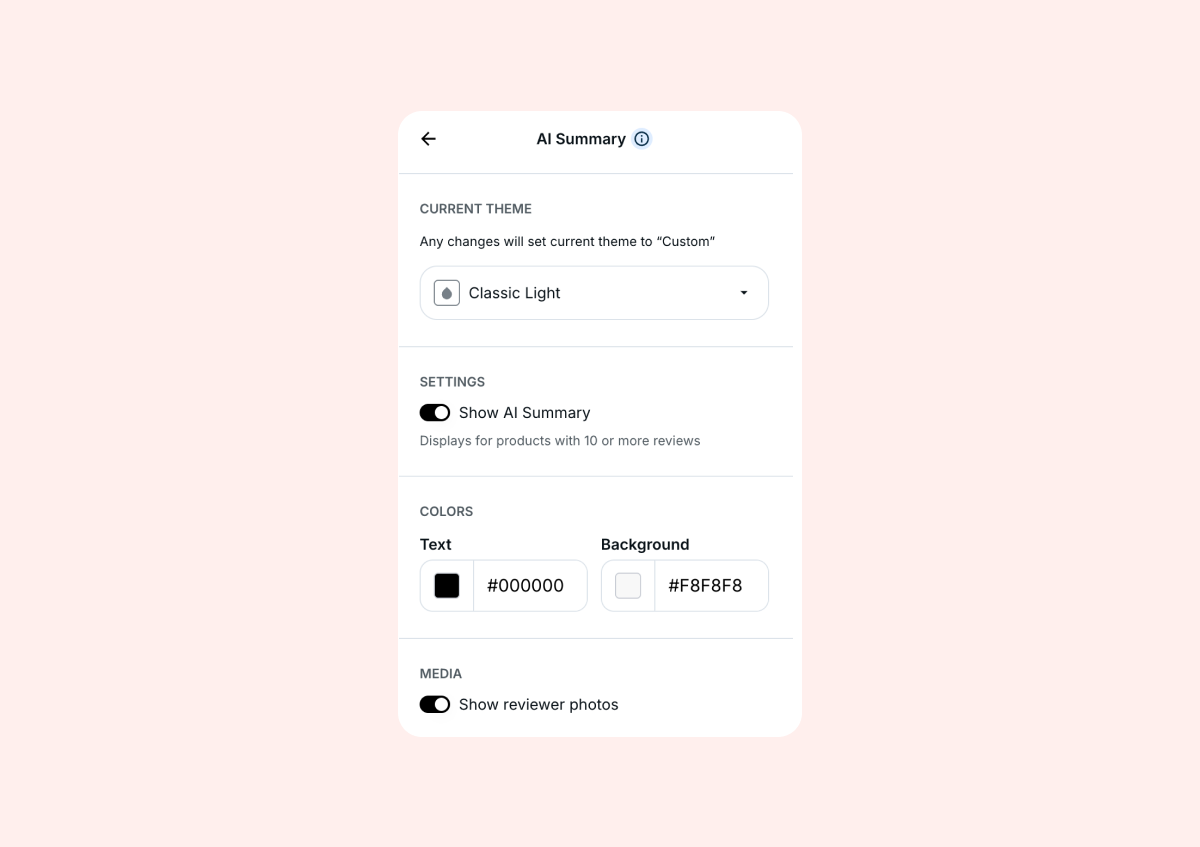
- Current theme: Select a preset visual theme for your Reviews Widget, or customize further in the "colors" settings below
- Show AI Summary: Manually enable or disable the summaries - this will apply to all of your products
- Colors: Adjust the color of the text or background of the summary
- Show reviewer photos: Choose whether or not to display three decorative reviewer avatar thumbnails
- Next, go back to the homepage of the Reviews Widget editor and open the Text tab to adjust the title of the summary:
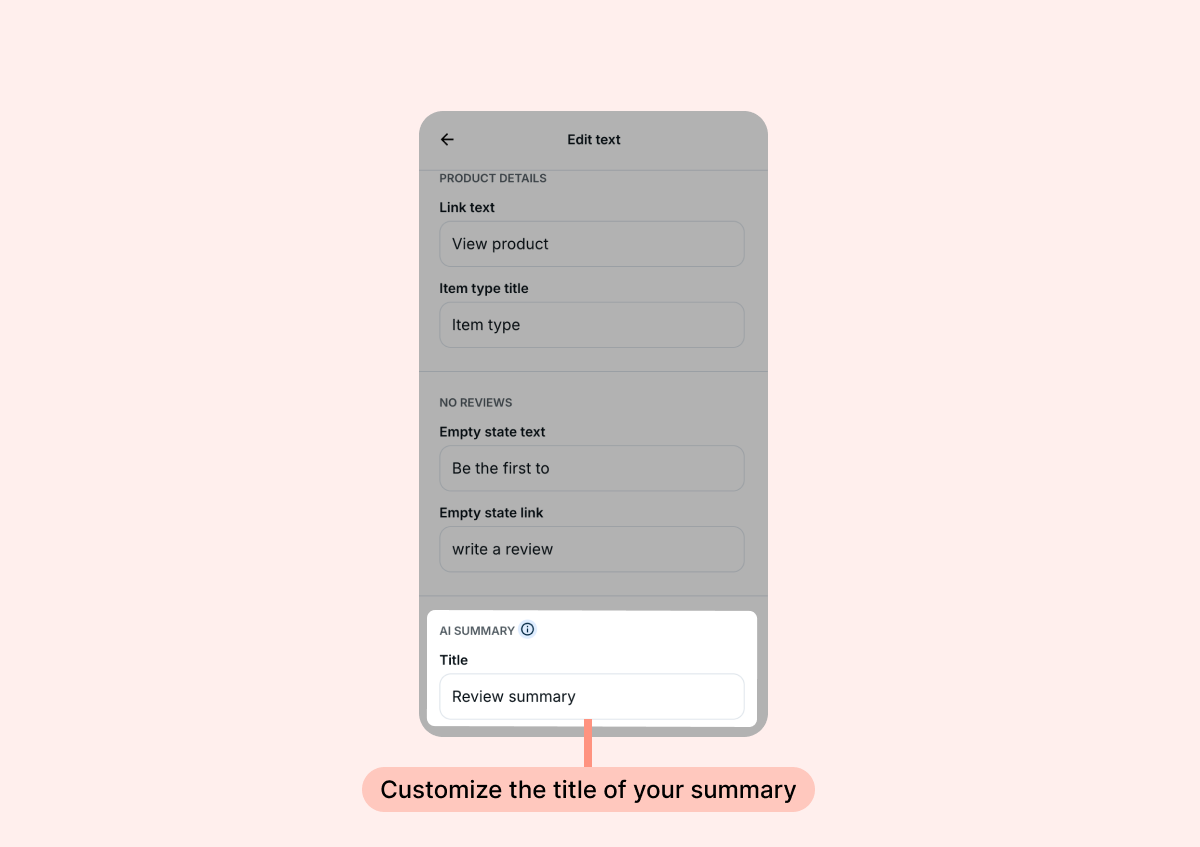
- Once you're done, save your changes in the Reviews Widget editor.
Note: Color and typography settings (border radius, shadow, font, star rating color) are inherited from your Reviews widget's global settings, so the AI Summary card stays visually consistent with the rest of your widget automatically. You can override the card's colors using the dedicated color settings above.
FAQs
Q: Which products get an AI Summary?
A: Any product on the Convert or Unlimited Plan with 10 or more published reviews is eligible. Summaries are automatically generated for your top 20 eligible products when the feature is enabled. After that, new products generate a summary once they cross the 10-review threshold. If you already have summaries generated for 20 products and have additional eligible products you would like summaries for, you can contact our support team at support@loox.io to request summaries for more products.
Q: How often are summaries updated?
A: The summary regenerates automatically when there's a 20% change in the product's reviews. If a product becomes eligible by crossing the 10-review threshold, a summary will be automatically generated. If a product that used to be eligible becomes ineligible (no longer has 10 published reviews), the summary for that product will disappear. You don't need to do anything for any of these changes to occur.
Q: Can I edit the summary text?
A: No, the summary is fully AI-generated based on your published reviews.
Q: What happens to my AI Summary if I downgrade from Convert?
A: The summary is removed from your storefront. Your data is retained on Loox's end, so if you upgrade again, your summaries will be available.
Q: Does AI Summary work on all Reviews Widget layouts?
A: Yes - it works across Grid, List, and Mosaic layouts, and on both desktop and mobile. Note that AI Summary is not supported in "Store Reviews Only" mode.
Q: Why does the card say "Summarized by AI"?
A: This disclosure is required by EU AI Act and FTC guidelines. It cannot be removed.
Q: I have product groups set up in my store. Will the summary be generated for the individual product or the whole product group?
A: A Summary will be generated for the product group as a whole and will be displayed on every product page associated with the group.
Q: I have product bundles set up in my store (and activated the Bundle settings in my Loox admin under Collect reviews > Preferences > Product groups & Bundles). What will Summaries look like on bundle pages?
A: A single summary will be generated based on the collective reviews of the bundle and all the child products in the bundle. Each child product page will continue to display a summary of its own individual product. If you have both product groups and product bundles set up in your store, the summary will default to the reviews of the product group over the bundle.